Mastering Digital Account Security in 2026: 5 Essential Steps
Anúncios
Implementing robust multi-factor authentication, practicing advanced password hygiene, diligently monitoring account activity, understanding phishing tactics, and regularly updating software are crucial steps for effective digital account security in 2026 to protect personal funds.
Anúncios
In an increasingly digital world, safeguarding your financial assets online has become paramount. As we navigate through 2026, the landscape of cyber threats continues to evolve, making vigilant protection of your digital accounts more critical than ever. This comprehensive guide will walk you through Mastering Digital Account Security in 2026: 5 Essential Steps to Protect Your Funds (PRACTICAL SOLUTIONS), providing actionable strategies to fortify your financial defenses.
Anúncios
Embracing Multi-Factor Authentication (MFA) as a Standard
Multi-Factor Authentication (MFA) is no longer an optional security feature; it’s a fundamental necessity for protecting your digital accounts in 2026. This method requires users to provide two or more verification factors to gain access, significantly reducing the risk of unauthorized entry even if your password is compromised.
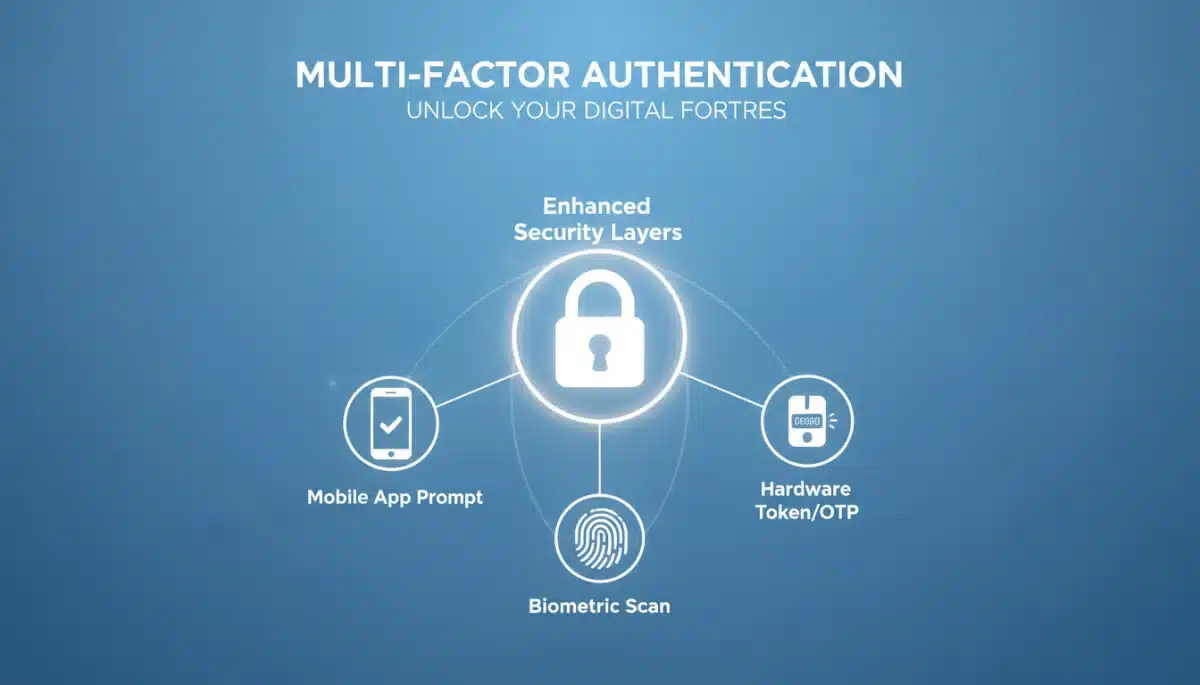
The strength of MFA lies in its layered approach to security. Instead of relying solely on something you know (your password), MFA incorporates something you have (like a phone or a physical token) or something you are (like a fingerprint or facial scan). This combination creates a much more robust barrier against cybercriminals.
Types of Multi-Factor Authentication
There are several forms of MFA available, each offering varying levels of convenience and security. Understanding these options can help you choose the best fit for your specific needs and the platforms you use.
- SMS-based codes: A code sent to your registered mobile number. While convenient, it can be vulnerable to SIM-swapping attacks.
- Authenticator apps: Apps like Google Authenticator or Authy generate time-sensitive codes, offering a higher level of security than SMS.
- Biometric verification: Fingerprint scans, facial recognition, or iris scans provide a highly secure and convenient method of authentication.
- Hardware security keys: Physical devices that plug into your computer or connect wirelessly, offering the strongest form of MFA.
Implementing MFA across all your critical financial and personal digital accounts should be a top priority. Many financial institutions and major online services now offer MFA as a standard feature, and it is crucial to activate it. Regularly review your MFA settings to ensure they are up-to-date and effective.
In conclusion, MFA serves as an indispensable shield in your digital defense strategy. By adding extra layers of verification, you significantly enhance your account security, making it exponentially harder for unauthorized individuals to access your sensitive information and funds.
Cultivating Advanced Password Hygiene and Management
Beyond MFA, the foundation of strong digital account security rests on cultivating advanced password hygiene. In 2026, simple or reused passwords are an open invitation for cyberattacks. The goal is to create unique, complex passwords for every account and manage them securely.
Gone are the days when a slightly complex password offered adequate protection. Today, brute-force attacks and credential stuffing techniques mean that weak passwords can be cracked in seconds. Therefore, a strategic approach to password creation and management is essential to protect your digital footprint.
Strategies for Robust Password Creation
Creating strong passwords involves more than just mixing uppercase and lowercase letters. It requires length, randomness, and uniqueness. Think of passwords not as words, but as passphrases or combinations that are difficult to guess but easy for you to remember.
- Length over complexity: Aim for passwords that are at least 12-16 characters long. Longer passwords are inherently more secure.
- Randomness: Avoid using personal information, common words, or predictable patterns. Random strings of characters, numbers, and symbols are ideal.
- Uniqueness: Each online account should have a distinct password. Reusing passwords means that if one account is compromised, all others using the same password become vulnerable.
Managing a multitude of unique, complex passwords can be daunting, which is where password managers become invaluable tools. These applications securely store all your login credentials in an encrypted vault, accessible only with a single master password. They can also generate strong, random passwords for you.
Regularly updating your passwords, especially for critical accounts, is another vital practice. While password managers streamline this, it’s good practice to change passwords every few months or immediately if there’s any suspicion of a breach. Prioritizing password hygiene ensures a strong first line of defense against digital threats.
Vigilant Monitoring of Account Activity and Alerts
Even with robust authentication and strong passwords, constant vigilance is crucial. Actively monitoring your digital account activity and responding promptly to alerts can often be the difference between a minor incident and a significant financial loss. This proactive approach allows you to detect and react to suspicious behavior in real-time.
Many financial institutions and online services offer various alert systems designed to notify you of unusual activity. Ignoring these notifications or failing to set them up can leave you exposed to potential fraud or unauthorized access. Making use of these tools is a fundamental part of a comprehensive security strategy.
Setting Up Effective Account Alerts
Maximizing the effectiveness of your account monitoring involves customizing and understanding the alerts available to you. These alerts can range from simple transaction notifications to more complex security warnings.
- Transaction alerts: Receive notifications for all purchases, withdrawals, or transfers, especially for transactions exceeding a certain amount.
- Login alerts: Get notified whenever your account is accessed from a new device or location. This is a critical indicator of potential unauthorized access.
- Password change alerts: Be immediately informed if your password or other security settings are altered.
- Balance alerts: Set up notifications for when your account balance drops below a certain threshold.
Beyond automated alerts, regularly reviewing your account statements and transaction history is a simple yet powerful monitoring practice. Look for any discrepancies, unfamiliar transactions, or unusual patterns. If you spot anything suspicious, report it to your financial institution immediately. Prompt action can often mitigate potential damages.
By diligently monitoring your accounts and responding swiftly to any red flags, you create an active defense mechanism. This level of vigilance ensures that you are aware of and can address any unauthorized activity before it escalates, thereby protecting your funds effectively.
Understanding and Mitigating Phishing and Social Engineering
Phishing and social engineering remain among the most prevalent and dangerous threats to digital account security in 2026. These tactics rely on human psychology to trick individuals into divulging sensitive information or granting unauthorized access. Understanding how these attacks work is the first step in defending against them.
Cybercriminals constantly refine their methods, making phishing emails, fake websites, and deceptive calls increasingly sophisticated. They often impersonate trusted entities like banks, government agencies, or well-known companies, leveraging urgency, fear, or curiosity to manipulate their targets.
Common Phishing Tactics to Watch For
Being able to identify the hallmarks of a phishing attempt is crucial for avoiding compromise. Awareness and skepticism are your strongest allies against these deceptive schemes.
- Suspicious sender addresses: Always check the sender’s email address for slight misspellings or unusual domains.
- Grammatical errors and poor formatting: Professional organizations rarely send out communications with obvious mistakes.
- Urgent or threatening language: Phishing attempts often create a sense of urgency, demanding immediate action to avoid negative consequences.
- Requests for personal information: Legitimate entities will rarely ask for your password, Social Security number, or full credit card details via email or unsolicited calls.
- Unusual links or attachments: Hover over links before clicking to see the actual URL, and be extremely cautious about opening unexpected attachments.
Beyond recognizing these red flags, it’s vital to verify any suspicious requests through official channels. If you receive an email or call from your bank asking for information, contact them directly using a verified phone number or website, not the one provided in the suspicious communication. Educating yourself and staying informed about the latest phishing trends is an ongoing process that significantly strengthens your personal cybersecurity posture.
By developing a critical eye and exercising caution, you can effectively mitigate the risks posed by phishing and social engineering attacks. This proactive defense helps ensure your digital accounts and funds remain secure from these cunning deceitful tactics.
Maintaining Software Updates and System Security
The digital world is dynamic, with new vulnerabilities discovered regularly. Therefore, consistently maintaining software updates and ensuring system security is a cornerstone of effective digital account protection in 2026. Outdated software often contains known security flaws that cybercriminals can exploit to gain access to your devices and, consequently, your accounts.
Operating systems, web browsers, antivirus software, and all applications on your devices must be kept current. Developers release updates not only to introduce new features but, more importantly, to patch security holes and protect against emerging threats. Delaying these updates leaves you exposed.
Best Practices for Software and System Security
A disciplined approach to software updates and overall system security significantly reduces your attack surface and enhances your protection against malware and unauthorized access.
- Enable automatic updates: For operating systems and critical applications, enable automatic updates whenever possible. This ensures you receive security patches as soon as they are released.
- Use reputable antivirus/anti-malware software: Install and regularly update comprehensive security software on all your devices. Configure it to perform regular scans.
- Utilize a firewall: A firewall acts as a barrier between your device and external networks, controlling incoming and outgoing network traffic to prevent unauthorized access.
- Be cautious with public Wi-Fi: Public networks are often unsecured. Avoid conducting sensitive financial transactions or accessing critical accounts when connected to public Wi-Fi. Use a Virtual Private Network (VPN) if you must.
Beyond software, maintaining the physical security of your devices is also important. Ensure your computer and smartphone are password-protected and consider encryption for sensitive data. These combined efforts create a robust environment that deters cyber threats and protects your digital accounts from potential compromises.
In essence, a proactive stance on software updates and system security is non-negotiable for safeguarding your digital funds. By keeping your digital environment fortified, you significantly reduce the risk of falling victim to exploits and maintain the integrity of your financial accounts.
Regularly Reviewing Privacy Settings and Permissions
In the intricate digital ecosystem of 2026, many applications and online services request extensive permissions and have default privacy settings that might expose more data than necessary. Regularly reviewing and adjusting these settings is a critical step in mastering digital account security and protecting your funds and personal information.
Many users click through permission requests without fully understanding the implications. Allowing apps access to your contacts, location, microphone, or camera can create vulnerabilities if those apps are compromised or if their data policies are not robust. A thorough audit of these settings is essential.
Optimizing Your Privacy and Permissions
Taking control of your data involves a systematic review of all your online accounts and device settings. This proactive measure ensures that your personal information is only shared when absolutely necessary and with trusted entities.
- App permissions on mobile devices: Periodically check which apps have access to sensitive features like your camera, microphone, location, and contacts. Revoke permissions that are not essential for the app’s core functionality.
- Social media privacy settings: Review and tighten privacy settings on all social media platforms. Limit who can see your posts, personal details, and friend lists. Be cautious about sharing financial-related information.
- Browser privacy settings: Configure your web browser’s privacy settings to block third-party cookies, prevent tracking, and manage site permissions for notifications and pop-ups.
- Linked accounts: Be aware of which third-party applications or services are linked to your primary accounts (e.g., Google, Facebook). Revoke access for any services you no longer use or don’t trust.
Understanding the privacy policies of the services you use is also important. While often lengthy, these documents outline how your data is collected, used, and shared. Being informed empowers you to make better decisions about which services to use and how to configure their settings for maximum security.
By conscientiously managing your privacy settings and permissions, you minimize your digital footprint and reduce the amount of personal data available to potential attackers. This active management is a vital component of a holistic approach to securing your digital accounts and safeguarding your financial well-being in 2026.
| Key Security Step | Brief Description |
|---|---|
| Multi-Factor Authentication | Adds extra verification layers beyond just a password to secure access. |
| Advanced Password Hygiene | Use unique, long, and complex passwords for each account, ideally with a manager. |
| Account Activity Monitoring | Diligently track transactions and respond to alerts for suspicious activities. |
| Software Updates & System Security | Keep all software and systems updated to patch vulnerabilities and enhance protection. |
Frequently Asked Questions About Digital Account Security
MFA adds crucial layers of security beyond just a password, making it significantly harder for unauthorized users to access your accounts even if they manage to steal your primary login credentials. It verifies your identity using multiple independent factors.
While opinions vary, it’s generally recommended to change critical account passwords every 3-6 months. More importantly, change them immediately if there’s any suspicion of a data breach or compromise involving any of your online services.
Common signs include suspicious sender addresses, grammatical errors, urgent or threatening language, unexpected requests for personal information, and links that lead to unfamiliar websites. Always verify legitimacy through official channels.
No, it is generally not safe to conduct sensitive financial transactions over public Wi-Fi networks. They are often unsecured and susceptible to eavesdropping. If you must, use a reputable Virtual Private Network (VPN) to encrypt your connection.
Software updates frequently include patches for newly discovered security vulnerabilities. By keeping your operating system and applications updated, you close potential loopholes that cybercriminals could exploit to gain access to your devices and digital accounts.
Conclusion
In 2026, the landscape of digital finance demands a proactive and informed approach to security. By consistently implementing these five essential steps—embracing Multi-Factor Authentication, cultivating advanced password hygiene, maintaining vigilant account monitoring, understanding phishing tactics, and diligently updating software—you can significantly bolster your defenses against cyber threats. Protecting your digital accounts is an ongoing commitment, but with these practical solutions, you are well-equipped to safeguard your funds and maintain peace of mind in the evolving digital world.
